Jenkins Integration
Configure Bumblebee to publish test results from Jenkins to HP ALM / OpenText ALM.
Jenkins and ALM Integration
Teams use Jenkins to implement CI pipelines. These pipelines typically contain stages for running unit or integration tests using a variety of testing frameworks or tools like JUnit with Selenium, Python with Playwright, etc. The Bumblebee Plugin for Jenkins enables users to easily configure these pipeline stages to send test results to ALM via the Bumblebee server. The Bumblebee Jenkins plugin is able to parse a variety of reporting formats, extract useful data, and map them to appropriate fields in ALM without any changes to the test code.
Installation
Install the Bumblebee Jenkins plugin from the Jenkins update center.

Configure the Bumblebee Jenkins plugin: Manage Jenkins → Configure System → Bumblebee Plugin
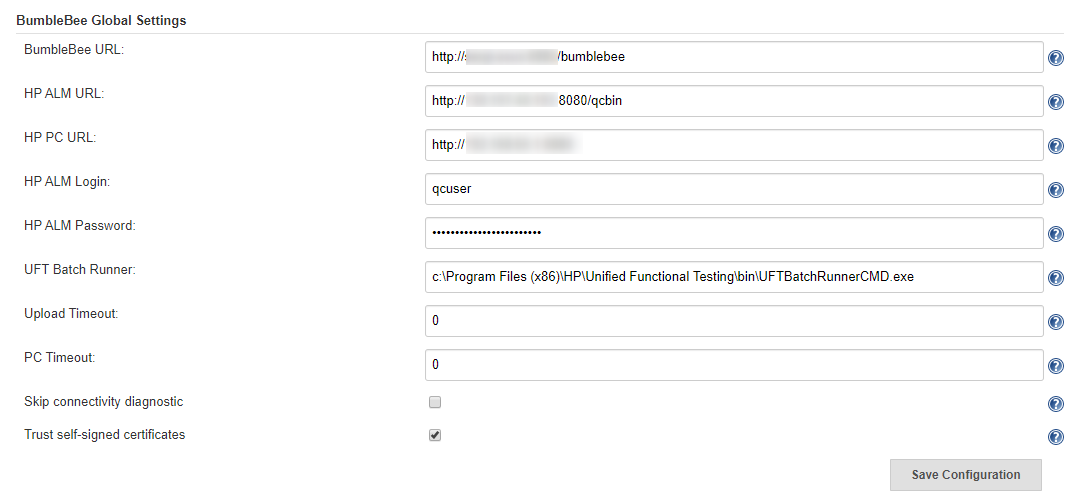
The Bumblebee Jenkins plugin exposes a variety of options within the Jenkins Job to enable a variety of interactions with ALM.
Test Results Processor
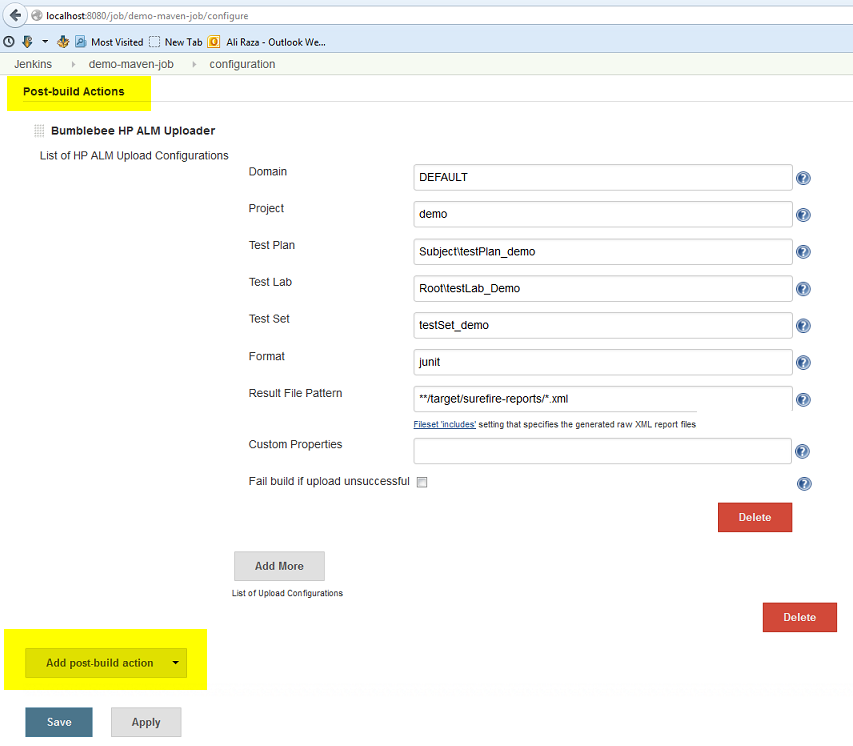
Bumblebee is able to process a variety of test framework reporting schemas such as JUnit, TestNG, NUnit, Cucumber, Robot, and seamlessly upload them to ALM. Add the Bumblebee ALM Uploader post-build action and configure the step per your ALM integration needs.
Jenkins Pipeline
ALM custom fields configured on the Bumblebee Server XML mappings can be specified in the custom properties field as name-value pairs.

Bumblebee ALM Uploader Field Reference
| Field Name | Required | Description |
|---|---|---|
| Domain | Yes | The name of ALM domain where to export test results |
| Project | Yes | The name of ALM project |
| Test Plan | Yes | TestPlan path in ALM where tests should be saved. Must start with Subject\ |
| Test Lab | Yes | TestLab path in ALM where test results should be saved. Must start with Root\ |
| Test Set | Yes | The name of test set in ALM |
| Format | Yes | Format of test results. Available values: junit, nunit, testng, cucumber, serenity, jbehave |
| Results File Pattern | Yes | Path to the XML file(s) generated during the build. Supports comma-separated list and Ant-style patterns such as **/surefire-reports/*.xml |
| HP ALM Mappings | No | Values for ALM mappings configured on the Bumblebee server. Format: [alm field label 1]=[value 1], [alm field label 2]=[value 2]. Supports Jenkins environment variables. |
| Fail build if upload unsuccessful | No | If checked, marks the build as failed if the plugin cannot upload results (due to Bumblebee, ALM, or network issues). |
| Process offline | No | If checked, Bumblebee sends test reports to be processed in a background thread. Useful when Bumblebee's real-time processing significantly increases build time. |
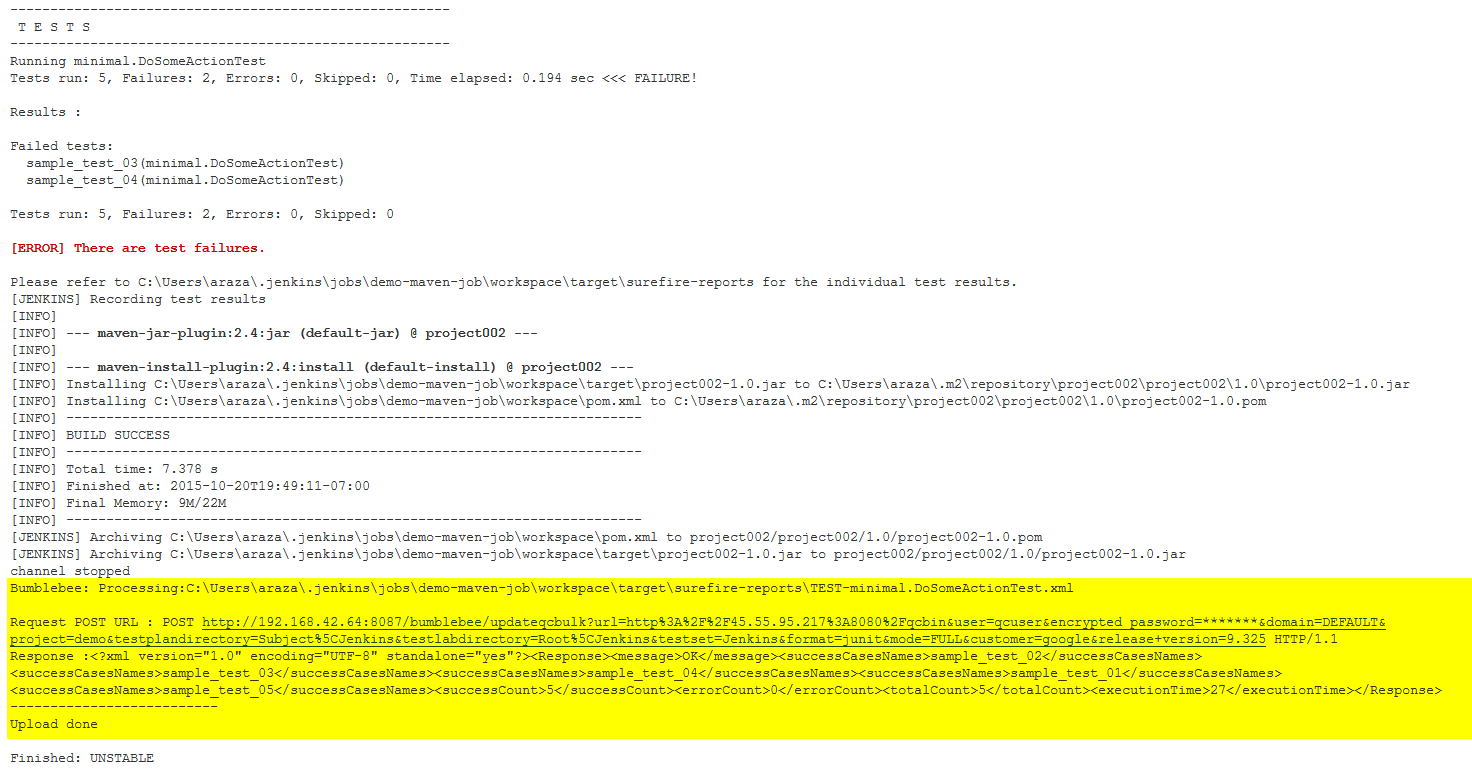
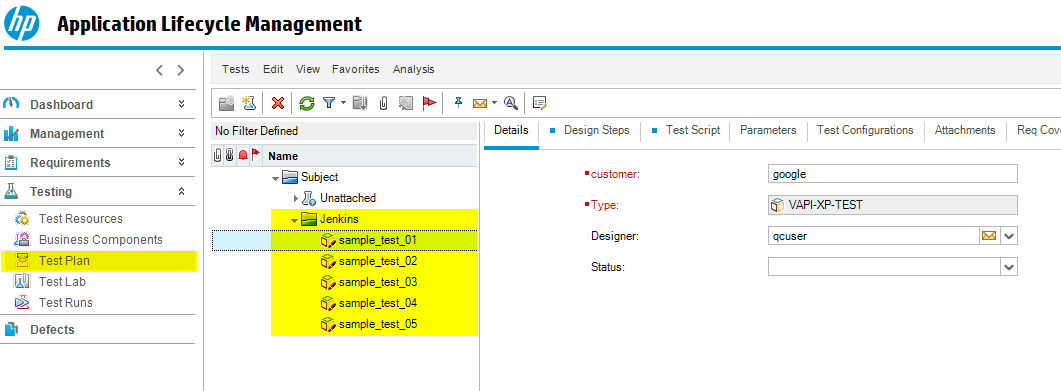
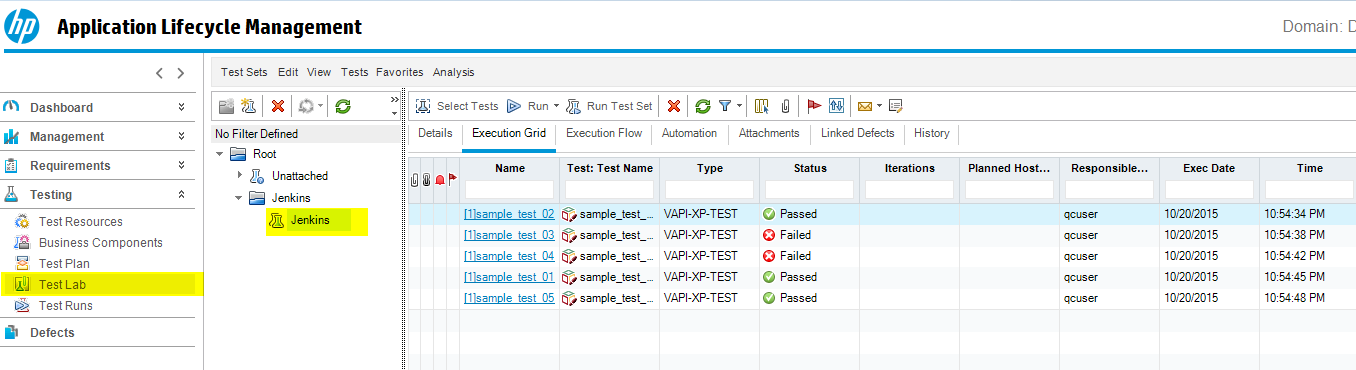
When the Jenkins job runs, the build log will show information about Bumblebee server activity. The test results will be processed and the corresponding TestPlan, TestLab, TestSet, and TestRun will be created automatically in ALM.
Defect Management
Triaging Jenkins build failures and viewing test result reports in Jenkins can be time-consuming. If not done promptly, defects may not be reported on time. The Bumblebee Jenkins plugin allows users to automatically create and resolve defects in ALM using configurable rules and policies.
Add the HP ALM Uploader post-build action and configure the Defect Management section per your defect management workflow.
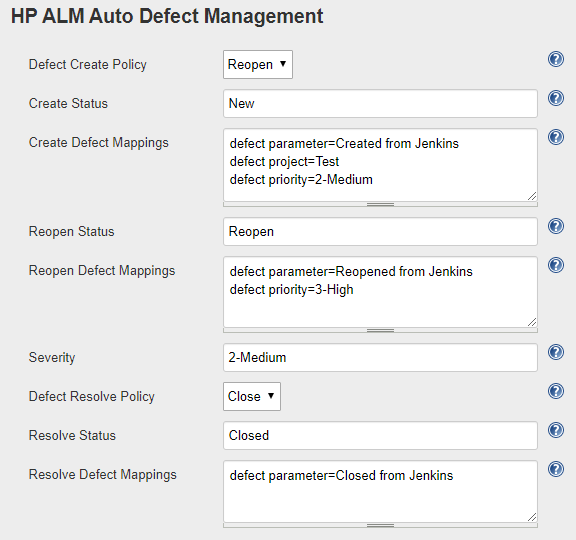
Bumblebee Defect Management Configuration
| Field Name | Description |
|---|---|
| Defect Create Policy | Create: Creates a new defect for failing tests or updates existing ones with status New, Open, or Reopen. Reopen: Creates a new defect or reopens an existing one. |
| Create Status | Status in ALM assigned to a newly created defect. |
| Create Defect Mappings | Properties set on a newly created defect. Format: [alm field label]=[value] (one per line). |
| Reopen Status | Status assigned to a reopened defect. Effective only if create policy is Reopen. |
| Reopen Defect Mappings | Properties set on a reopened defect. Format: [alm field label]=[value] (one per line). |
| Severity | Value for the Severity property of the defect. |
| Defect Resolve Policy | If set to Close, Bumblebee searches for existing defects with a Bumblebee prefix for passing tests and resolves them. |
| Resolve Status | Status assigned to a resolved defect. |
| Resolve Defect Mappings | Properties set on a resolved defect. Format: [alm field label]=[value] (one per line). |
Jenkins Pipeline